TG Mobile: Real-Time Tracking in Your Pocket
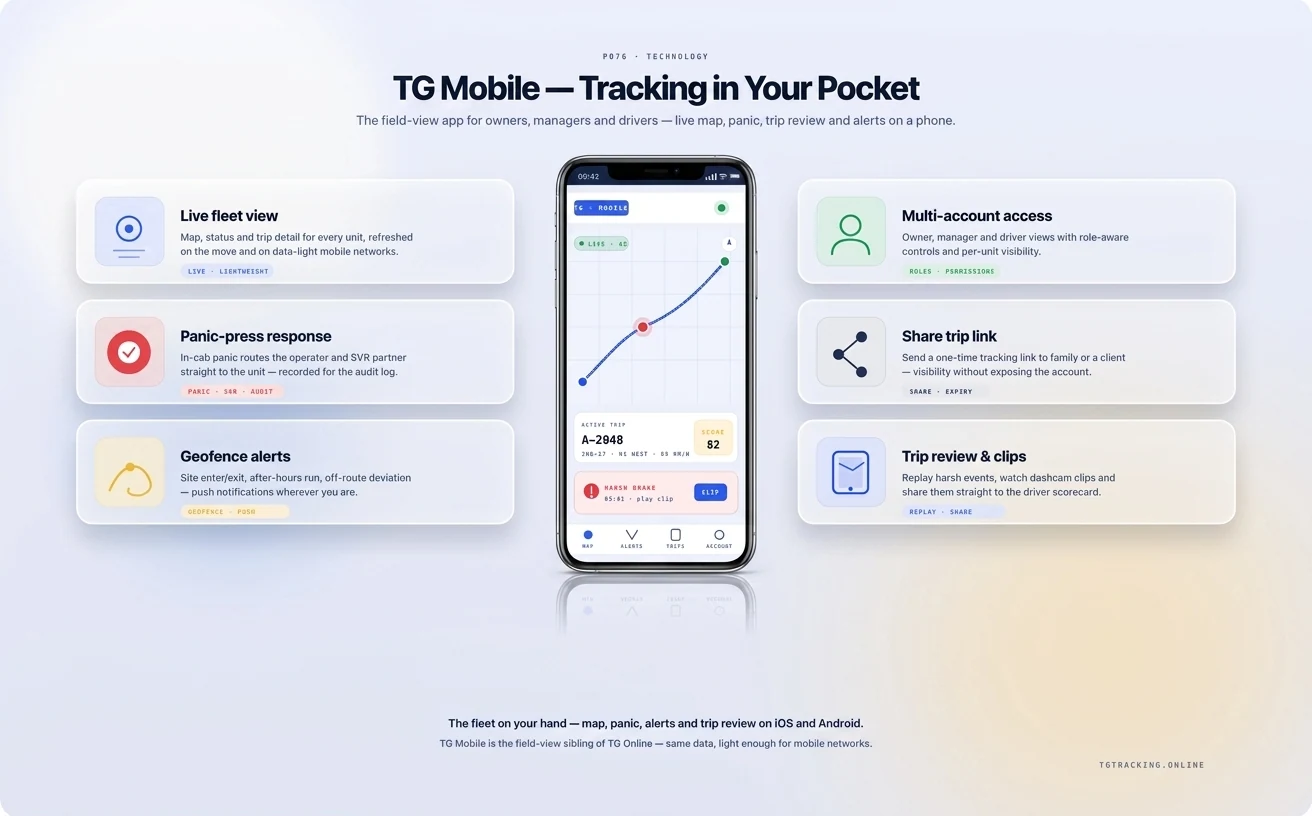
Monitor your vehicles and assets from your phone
TG Mobile is the field-view fleet app for South African owners, drivers, supervisors and managers who run their fleet from a phone rather than a desk. It runs on iOS and Android, shares a login with TG Online, and shows live location, alerts, trip review, driver behaviour and panic-press response in the layout a phone reads best. It pairs with TG Online for the desktop command desk, ADAS and DMS for camera AI events, Business Intelligence Dashboards for the analytics layer, and API and Webhooks for outbound integration. See the platform overview at Software and Technology Platform.
The in-pocket field view
A fleet that runs only on TG Online keeps its decisions in the operations room. Real fleet life happens at the rugby club, the school pick-up, the depot yard, the customer site and the petrol station. TG Mobile is the platform sized for those moments.
Live map on a phone screen
The same fleet that loads across a wide-format desktop, fitted to a six-inch screen. Filter by depot, sub-fleet or driver. Tap a vehicle for last position, speed, ignition state and trip context. Swipe to the alerts pane for events that need an answer now.
Push alerts that survive a phone in a pocket
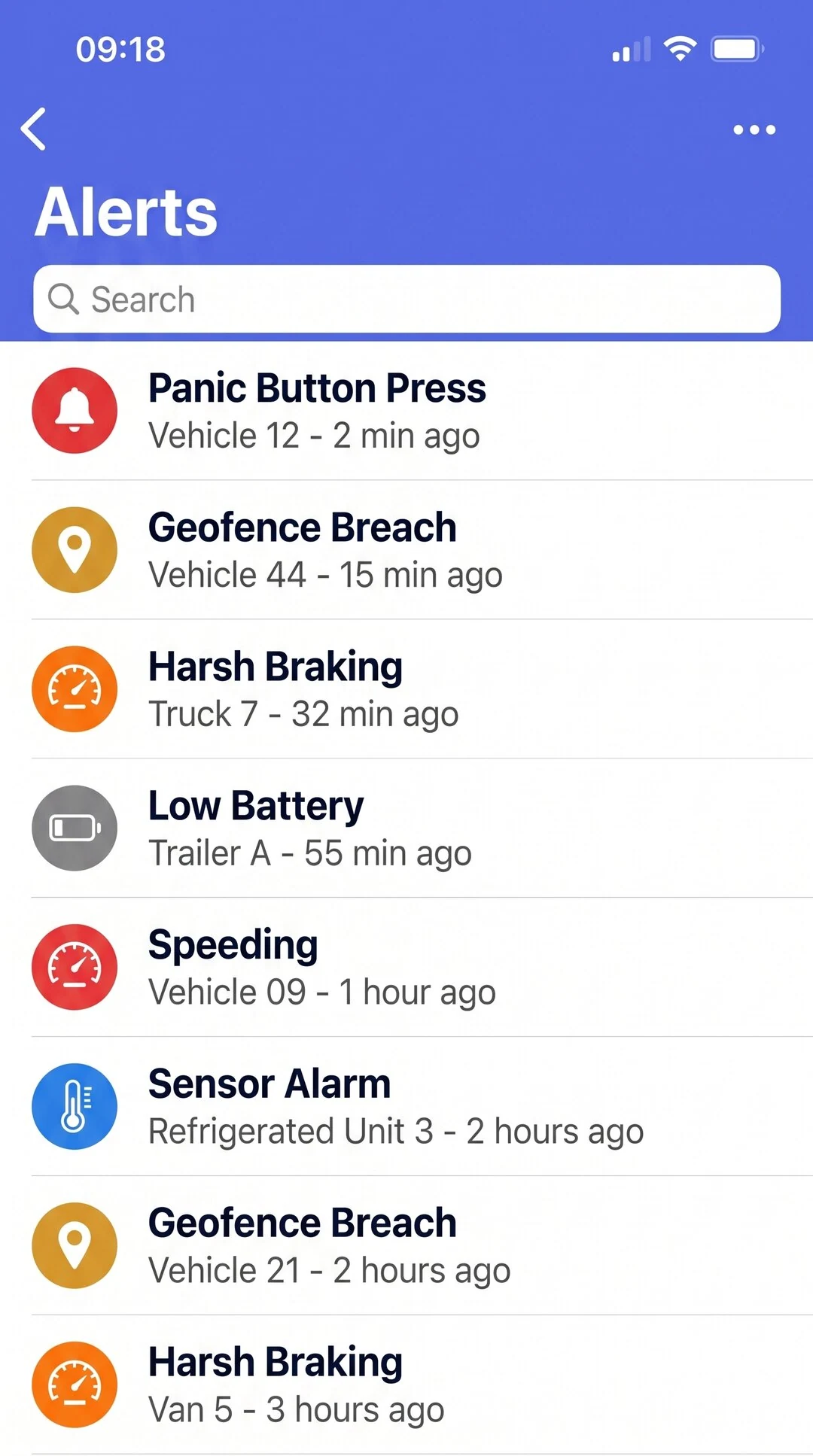
Panic press, harsh-event spike, geofence breach, fuel-drop signature, AI camera flag, sensor alarm, battery tamper, ignition-on outside hours. Each alert pushes to the lock screen and groups into the in-app feed. The manager hears the panic press over a noisy crowd because the phone is in the pocket; the laptop is in the car park.
Trip review without a desktop
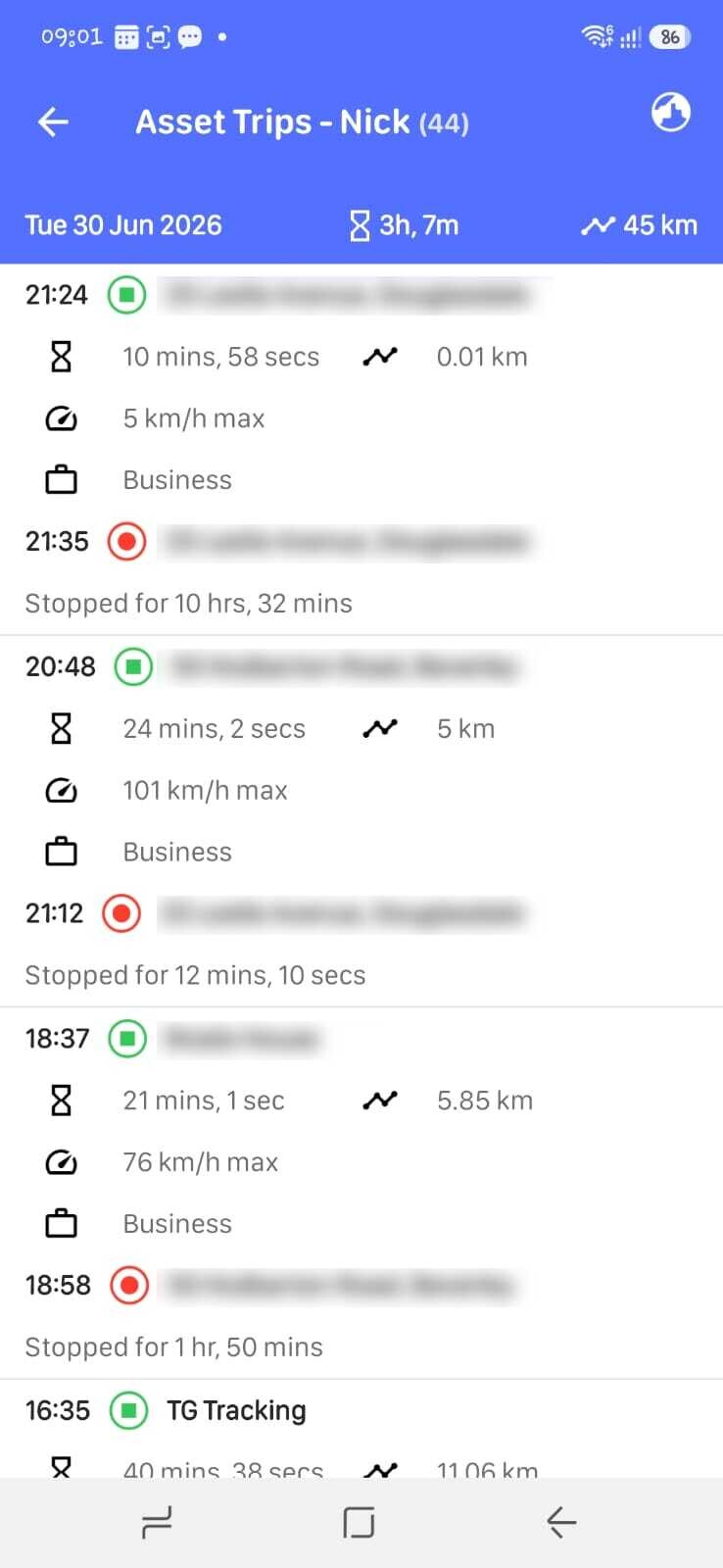
Tap any vehicle, scrub through any trip on the day, and the timeline shows speed, stops, idling, geofence transitions, harsh events and AI camera flags. The customer ETA query at 11:40 gets answered from the phone, not deferred to the office.
Panic-press response from anywhere
A hijack scenario runs end-to-end on the app. View the live map, see the recovery team's position, listen to the in-cab audio if your camera config supports it, place the call to the control room, log the event.
Three audiences, three working patterns
The app reads differently depending on who is holding the phone, and the platform recognises that.
Owner of one or two vehicles
The personal-fleet user opens the app to confirm the bakkie is home, to check the trailer has not moved overnight, to read the alert about a possible accident before the spouse phones. See Car Tracking and Recovery and Personal solutions for the personal-fleet view.
Field manager covering a depot or a region
The depot manager in Pinetown opens the app on the floor to verify which vehicles are out, which are at customer sites, which are stuck on the route and which are due back. A reply to the customer in Westmead happens in the queue at the coffee shop, not at the desk.
Driver seeing their own data
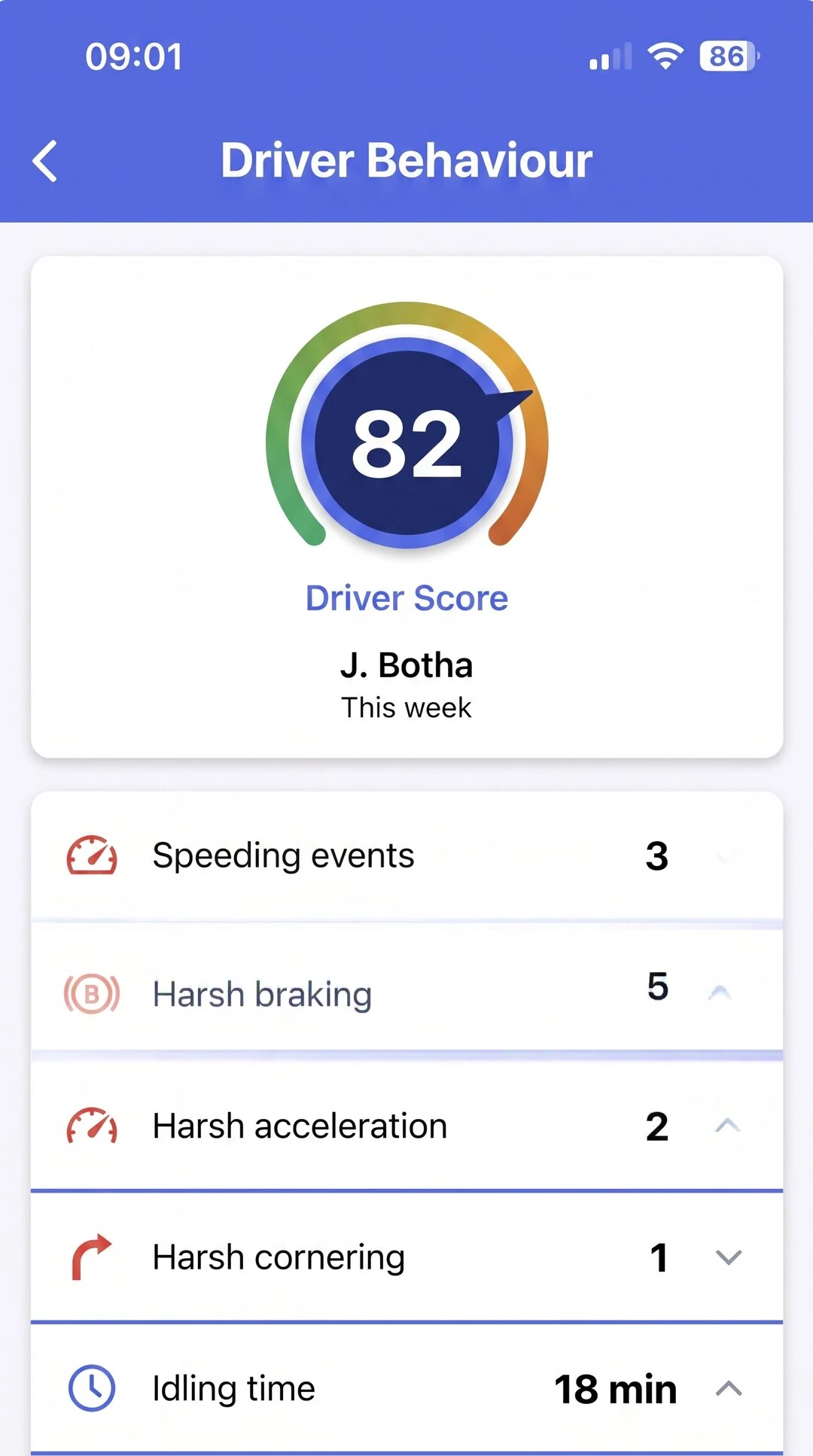
The driver can open their own behaviour score, their own trip history and their own coaching items. The cab voice prompts on the AI camera get reinforced by the score they see at the end of the shift. See Driving Performance for the operational coaching loop and Fleet Tracking and Management for the fleet-level view.
Field workflows TG Mobile is built for
Field workflows care about the answer, not which screen you have nearest.
The 06:30 pre-trip walk-around
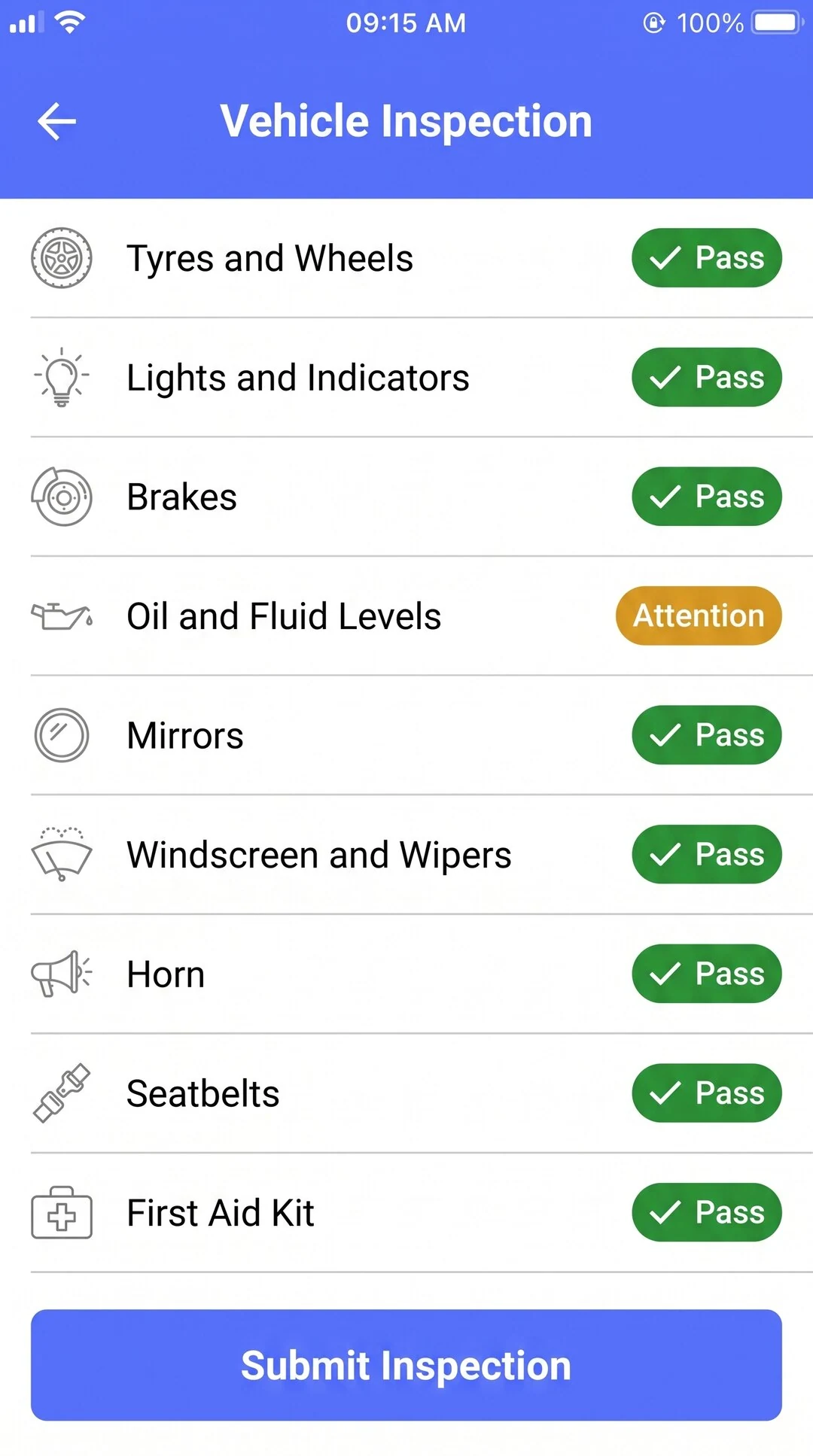
The driver opens the app, runs the digital pre-trip checklist on the phone, signs off the form, and the depot manager sees the result moments later.
The 13:14 customer call from the car park
A delivery customer in Centurion phones to ask why their drop is late. The field manager pulls the trip, sees the delay reason, replies inside the same call.
The 18:42 weekend recovery
A boat trailer geofence breach fires while the owner is at a Saturday braai in Linbro Park. The app pushes the alert to the lock screen, the live map shows the trailer moving south on the N1, and the recovery workflow begins from the phone.
South African field realities the app is built for
The South African field manager and owner work inside specific local realities the app is configured for. Multi-network failover so a phone moving through a thin-coverage stretch on the N2 still gets push alerts when the signal returns. Cross-border alerts so a unit moving towards Beit Bridge or Maputo fires the right notification. Load-shedding-tolerant caching so the platform's last-known fleet state is on the phone when the home Wi-Fi is down. Recovery-network dial-outs to the local control room rather than a global call centre.
The app is sized for South African phones. Most users run on Android; iOS users are the second cohort. Both stores carry the app where it has been published, and both versions share the same login as TG Online.
Security, privacy and what stays on the device
Login uses the same account as TG Online, with role-based access permissions controlling what the user sees on a phone. Most modern phones support biometric sign-in for the app. Sessions time out per security policy, and the app does not cache footage off the device beyond the last-known state needed for use in a thin-coverage moment. Privacy follows POPIA.
Frequently asked questions
Where do I download TG Mobile?
The app is published on the Apple App Store and Google Play Store under the TG Tracking listing.
Does TG Mobile share a login with TG Online?
Yes. Same account, same password, same role-based permissions. Most fleets use both views: TG Online at the desk and TG Mobile in the field.
Will the app work in a no-signal area?
The app caches the last-known fleet state on the device, so a manager in a thin-coverage stretch still sees the last reported positions. New events queue at the platform and push to the phone the moment the signal returns.
Can the driver see only their own data?
Yes. Role-based access at user level allows a driver to see their own trips, their own behaviour score and their own coaching items, without the rest of the fleet. The configuration is part of onboarding.
How dependable are push notifications?
Push notifications use the standard Apple and Google delivery networks. Delivery depends on phone settings, network condition and device battery state.
Is the app POPIA-compliant?
The app shares the same POPIA posture as the rest of the TG Tracking platform: role-based access, audit logs on retrieval, encrypted transit and at rest. Specific Information Officer attestation is part of the platform-level Trust documentation.
What if my phone is lost or stolen?
Sign-out and password reset run from a different device on the same account. Role-based access means only the cohort the lost user could see is exposed. Session-timeout policy is configurable.
Run your fleet from the field
If your day moves between the office, the depot, the customer site and the rugby club, the field-view app is what closes the gap between alert and action. Book a walkthrough and we will show you the live map, the alerts feed and the panic-press workflow on a phone with your fleet shape in mind.
Explore Related Pages
Already a TG Tracking customer? Download TG Mobile and log in with your account details.