Integrations, APIs & Webhooks
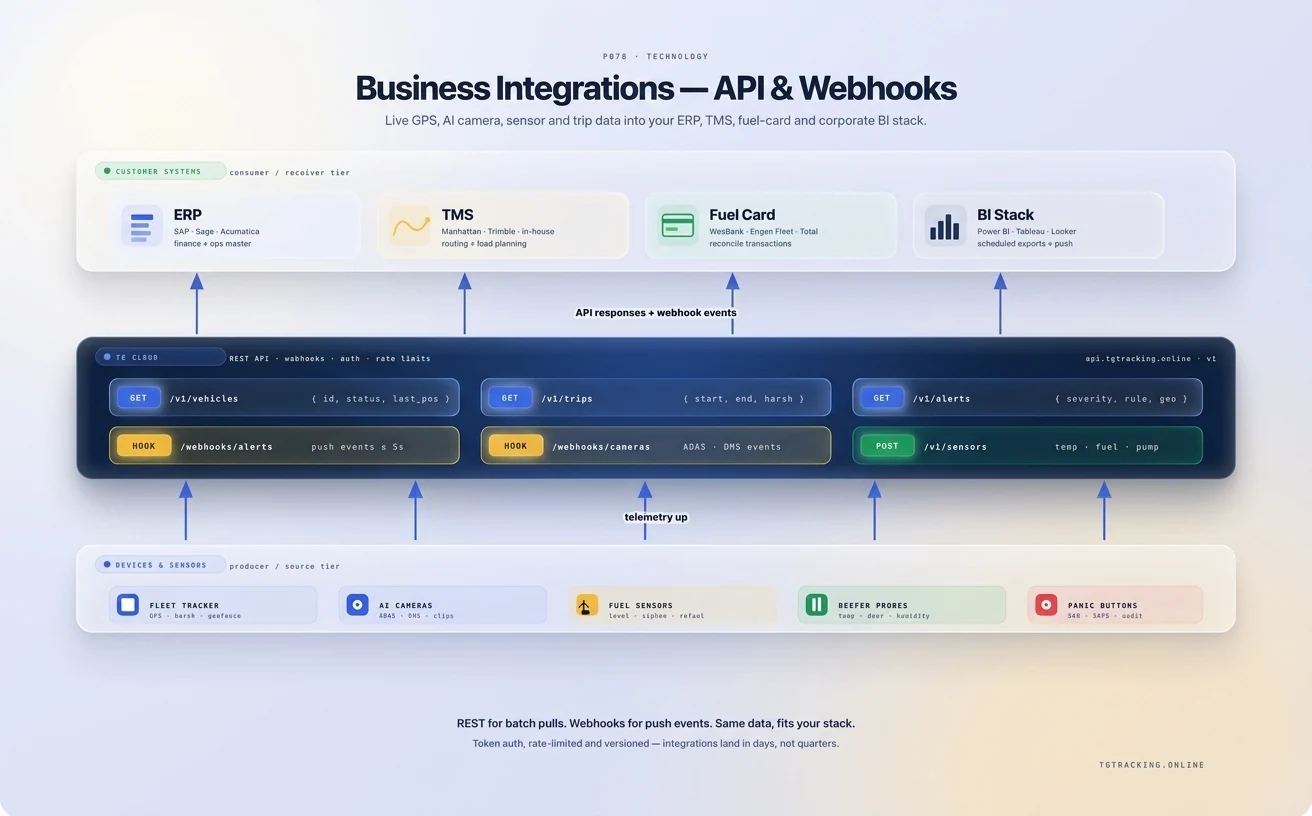
Integration Options Explained
TG Tracking supports different integration methods depending on the customer’s technical requirements, endpoint setup, data format and operational use case.
Some customers need clean JSON data delivered to a business system. Others need raw TCP data, direct device feeds, webhook-based events or data sent to multiple platforms at the same time.
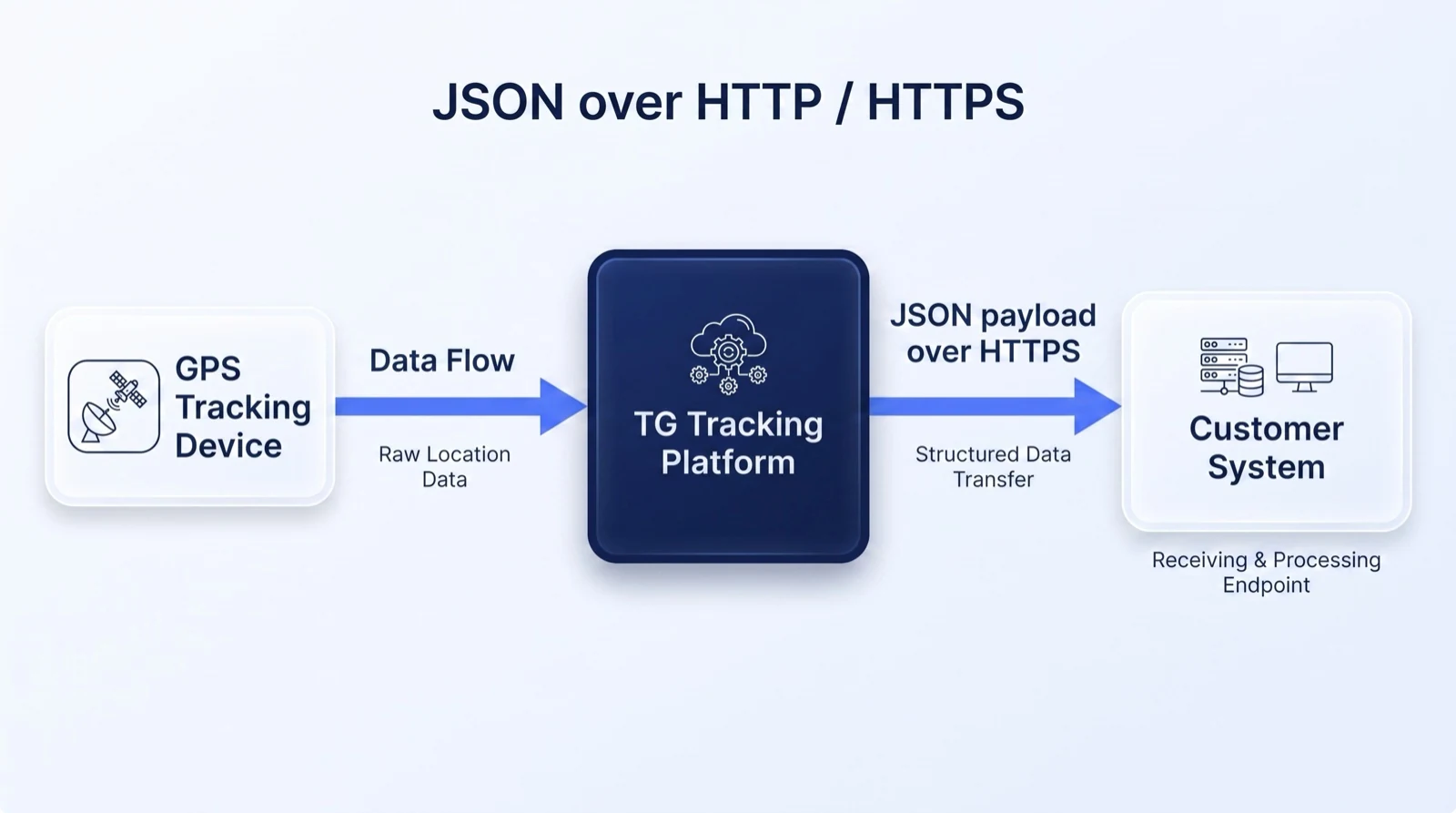
1. JSON HTTP/HTTPS Payload
Best for: customers who want structured tracking data sent to a business system, dashboard, ERP, customer portal or custom platform.
Device data is received by the TG Tracking device management layer and translated into a structured JSON format. The data is then forwarded to the customer’s endpoint using HTTP or HTTPS POST.
The connector specifies the endpoint location and can support HTTPS, basic authentication and custom header options where required.
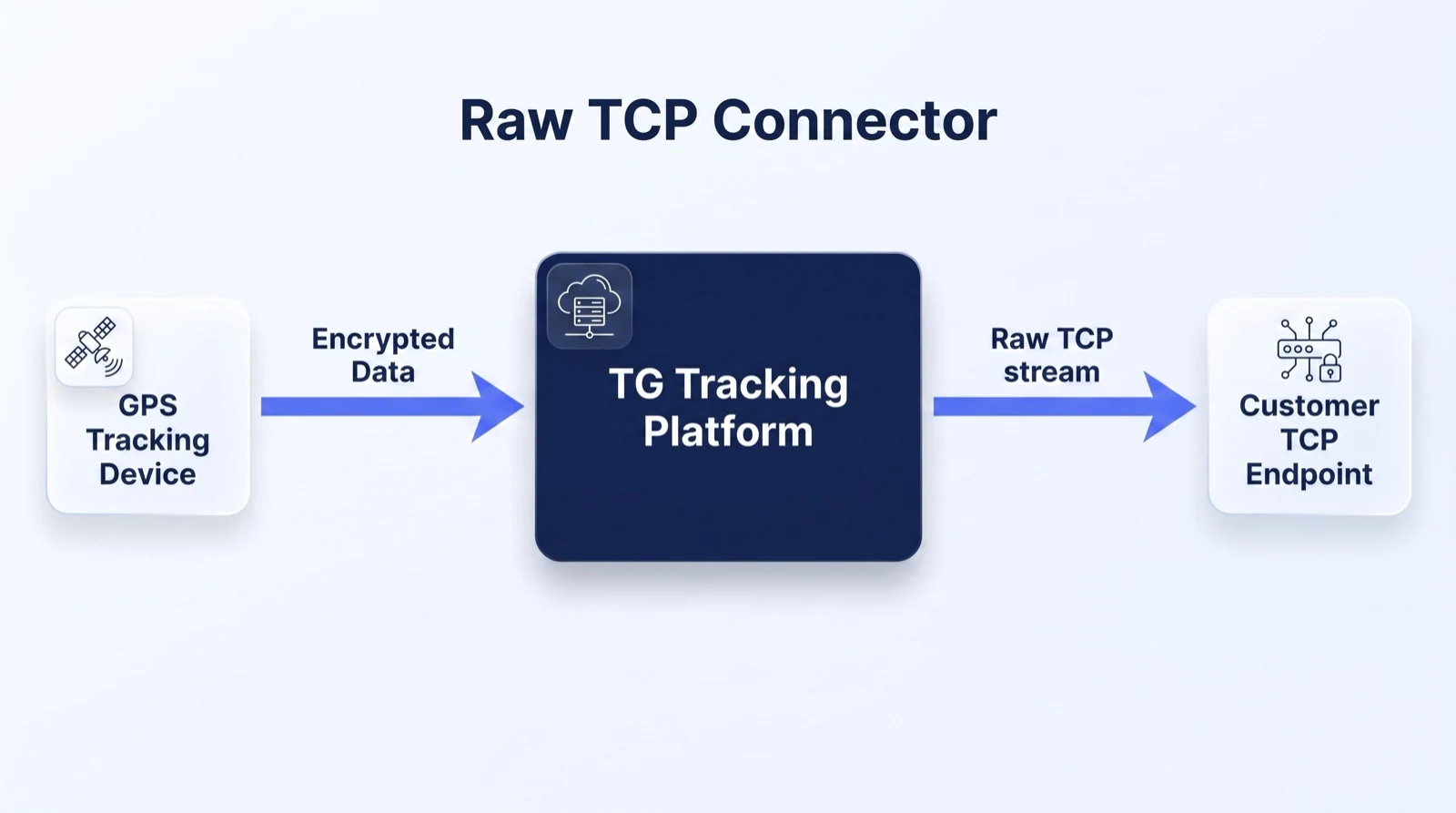
2. Raw TCP Connector
Best for: technical customers or platforms that need device data in its native TCP protocol.
Device data is sent to the TG Tracking device management layer and forwarded through a TCP connector to the customer’s endpoint. The endpoint is specified using a URL and port, and data is sent in the device’s native protocol.
A TCP socket is opened per device connection. This option is more technical and is usually suited to experienced integration teams.
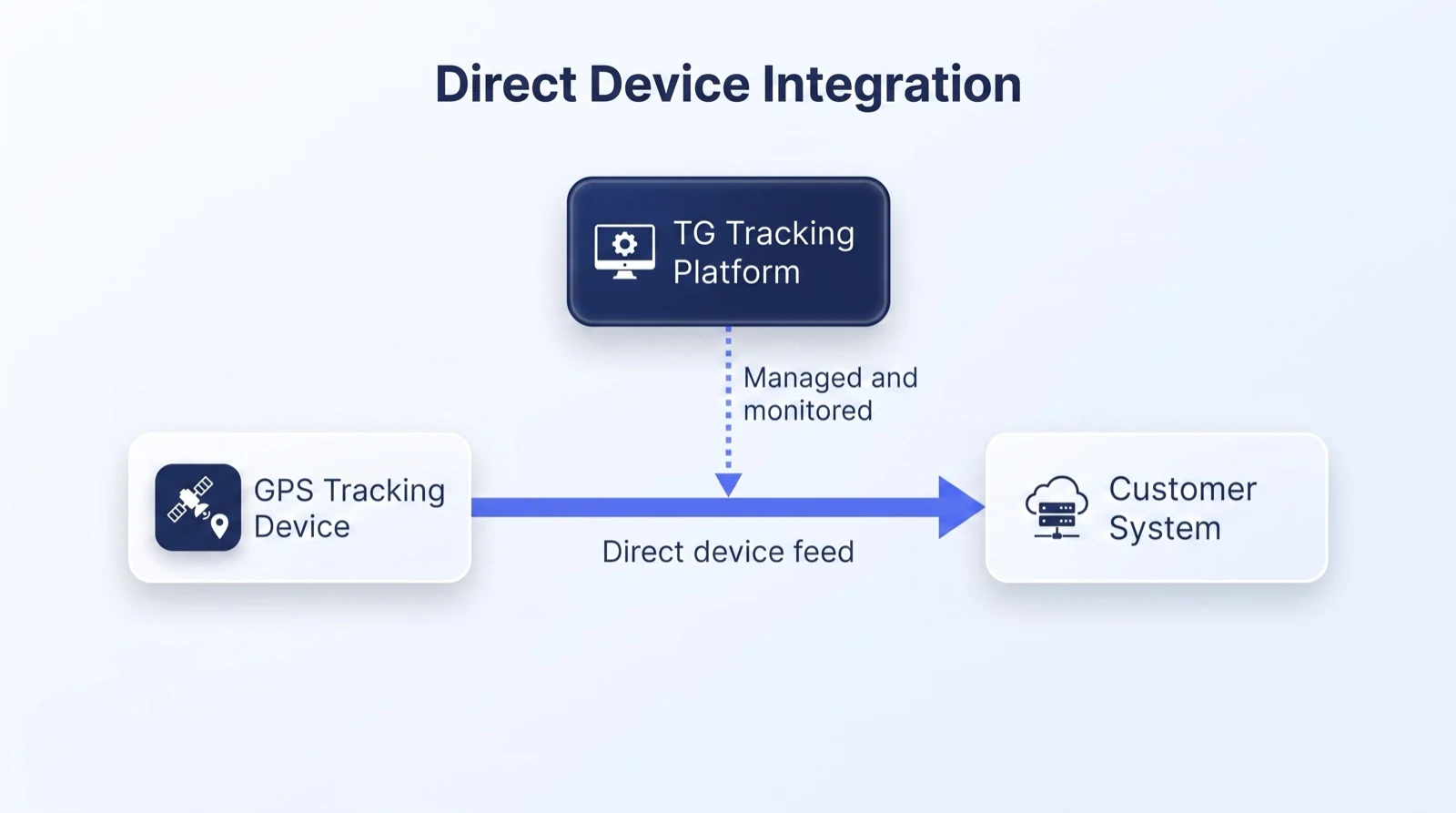
3. Direct Integration
Best for: advanced customers who need direct device data and more independent control over the integration environment.
In a direct integration, the device sends data directly to the customer’s end platform while still allowing periodic communication with the device management layer for firmware, configuration or parameter checks.
This is a more advanced integration route and should only be positioned as available for customers with the correct technical capability and project scope.
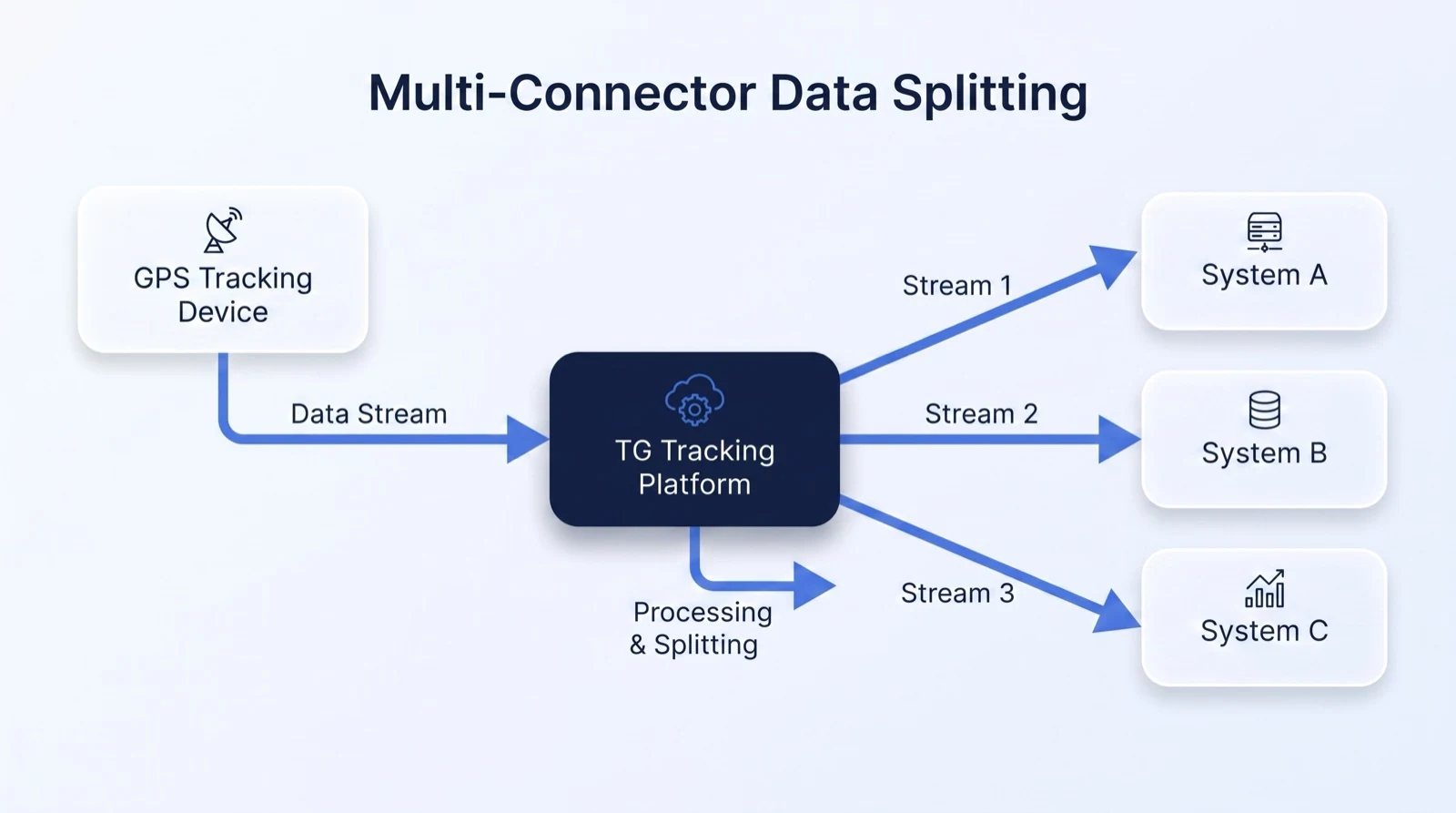
4. Multi-Connector and Data Splitting
Best for: customers who need the same tracking data sent to more than one system.
Device data is received by the TG Tracking device management layer and then forwarded to multiple endpoints using TCP, HTTP or HTTPS connectors.
Some businesses need one data stream for operations, another for customer reporting, and another for internal dashboards. Multi-connector and data splitting allows the same device data to support multiple business workflows.
5. Webhook Integration
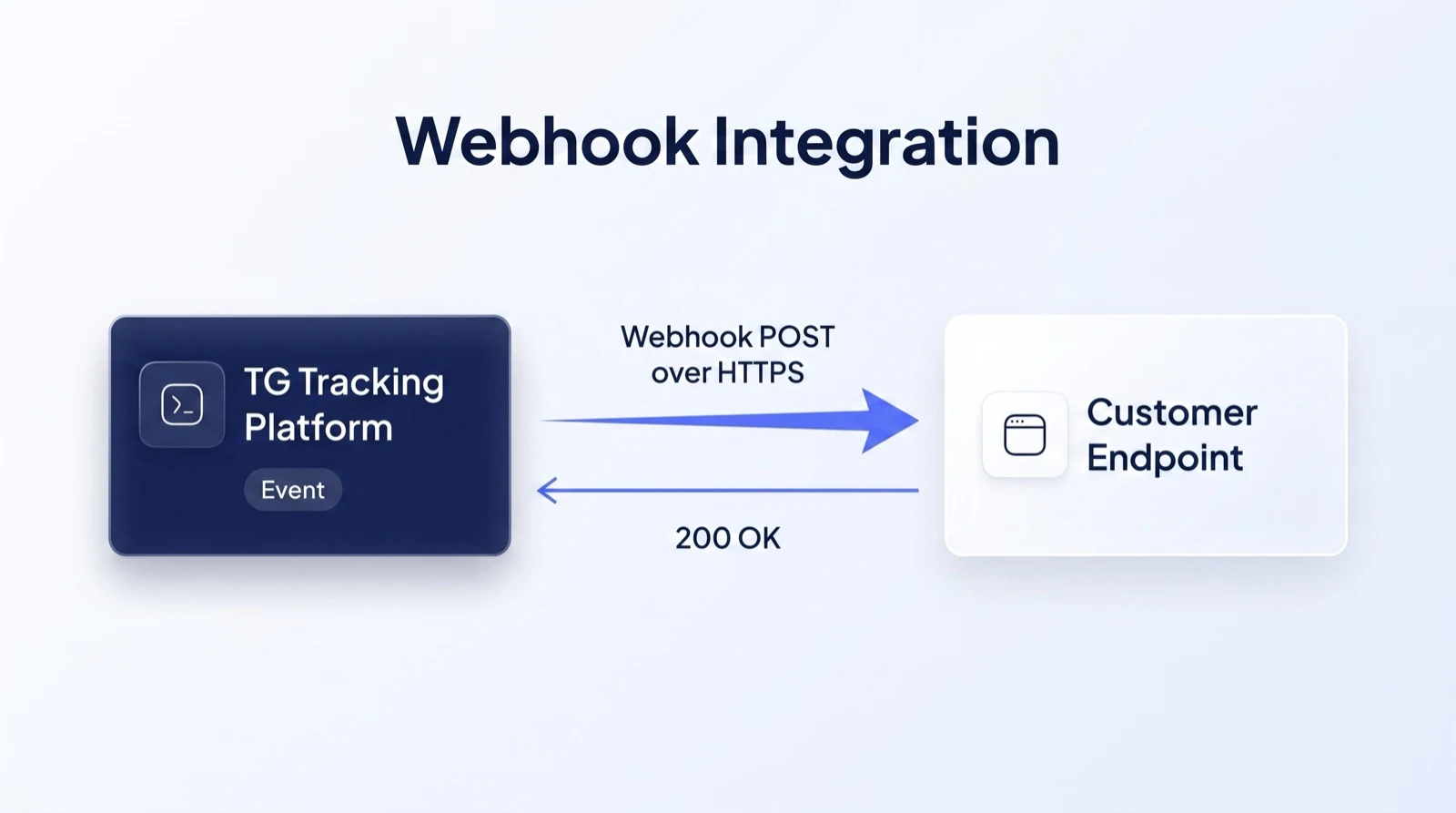
Best for: real-time event-based automation.
Webhook integration pushes data to an external platform when selected events occur. This is normally done using HTTP POST in JSON format.
Choose the Right Integration Method for Your Operation
Every business uses data differently. Some teams need structured JSON payloads. Others need native TCP data, real-time webhook events, direct device feeds or data splitting between multiple platforms.
TG Tracking helps configure the right integration method based on your systems, data requirements and operational goals.
JSON HTTP/HTTPS Payload
Structured data sent to your endpoint.
Raw TCP Connector
Native device protocol sent to your platform.
Direct Integration
Device data routed directly to your system.
Multi-Connector Data Splitting
Send data to multiple platforms at the same time.
Webhook Integration
Push event data when specific events occur.
Built for Different Integration Requirements
TG Tracking can support multiple integration approaches depending on the customer’s platform, endpoint, data format and technical requirements.
Structured JSON Data
For customers who want clean, readable data delivered to an endpoint.
Native TCP Data
For customers who need raw device protocol data.
Event-Based Webhooks
For customers who want data pushed when selected events occur.
Multi-Endpoint Data Sharing
For customers who need the same data sent to multiple platforms.
Direct Device Integration
For advanced customers who need a more direct device-to-platform integration model.
Integration FAQs
What is a JSON HTTP or HTTPS payload?
A JSON HTTP or HTTPS payload is structured tracking data sent from TG Tracking to an external endpoint using HTTP POST. It is useful for ERPs, dashboards, customer portals and custom business systems.
What is a raw TCP connector?
A raw TCP connector forwards device data in its native protocol to an external platform. This is usually used by technical customers with their own data processing or parsing layer.
Can TG Tracking send data to multiple systems?
Yes. TG Tracking can support multi-connector and data splitting setups where the same device data is forwarded to more than one endpoint.
What is a direct integration?
A direct integration allows device data to be received directly by the customer’s platform. This is an advanced integration option usually suited to customers with their own technical infrastructure.
What is a webhook integration?
A webhook integration pushes event data to an external system when selected events occur, such as geofence activity, panic alerts, temperature breaches or camera events.
Can TG Tracking send data using HTTP POST?
Yes. TG Tracking can support HTTP or HTTPS POST for structured JSON payloads and webhook event data, depending on the integration setup.
Ready to Connect TG Tracking to Your Business Systems?
Whether you need JSON payloads, webhooks, raw TCP, direct integration or data splitting across multiple platforms, TG Tracking can help connect your tracking data to the systems that run your business.