HomeSolutionsBy OutcomeFleet Visibility and Daily Operational Control
Operating layer · Solution
Fleet Visibility and Daily Operational Control
Real-time fleet picture for South African fleet managers. Live map, alerts queue, route history, costing tied to operations. One screen instead of a phone tree.
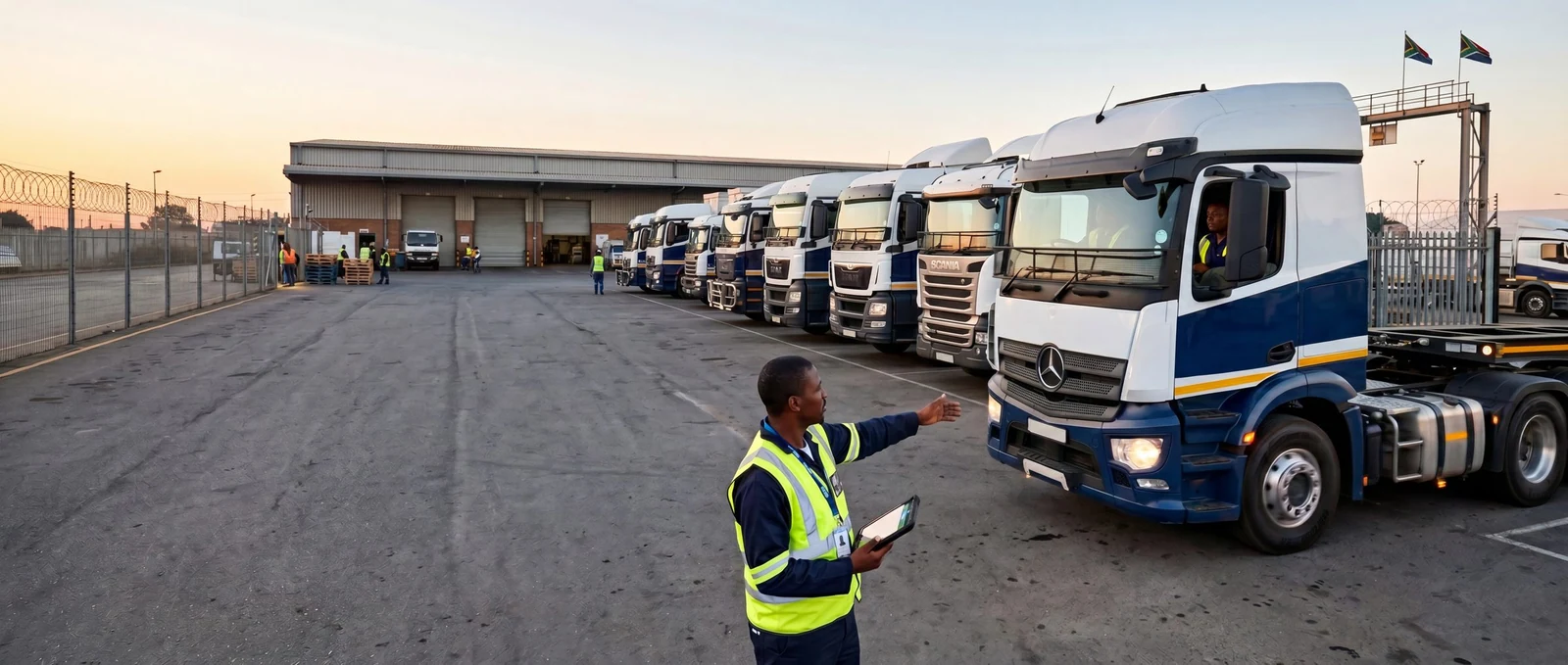
It is 06:50 on a Tuesday in Centurion. The fleet manager opens the laptop. Eighty-seven vehicles are already in motion across Gauteng, KZN and the Western Cape. The alerts queue down the right of the screen shows four high-priority events from the night shift: a panic press from a driver in Daveyton at 04:12, two fuel-drop signatures on a depot truck parked overnight in Boksburg, one maintenance overdue flag on a rigid ahead of today's 142 routes. The day's decisions start on this screen, not on the phone. That is what TG Tracking is built to give the fleet manager.
Direct answer
TG Tracking gives the fleet manager a single live picture of every vehicle and every asset, with a named alert feed, a 90-day trip history, daily reports and a cost view that ties operations to numbers. The same data feeds TG Online for the desk, TG Mobile for the road and the BI dashboards for the monthly meeting.
Who this is for
For fleet managers, operations directors and depot supervisors running five to five thousand vehicles in South Africa. For owner-operators with a small fleet who want the same operational picture without the cost of a control room. For logistics coordinators who plan tomorrow on what happened yesterday.
What TG Tracking helps you see, prevent, prove and improve
- See where every vehicle is and where it has been over the last 90 days
- Prevent silent overnight movement on parked assets with sub-yard geofencing
- Prove a delivery happened with a time-stamped pin, route record and signature
- Improve dead-trip percentage by routing return loads against actual location
- Audit driver hours, idle time and route variance against the original brief
- Plan tomorrow on real numbers from yesterday, not on a phone call to dispatch
Best-fit tracking systems
A fleet visibility programme is built from layers, not a single device. The right system for your operation depends on what you run, how many sites you have and how your team works today.
- Wired vehicle trackers for the day-cab and rigid units that need permanent power and continuous reporting. Fitted out of sight, paired with the driver record and the route plan.
- TG Online as the desk system. Live map, alerts queue, trip history, fuel signatures, BI widgets. The fleet manager's morning screen.
- TG Mobile as the road system. The same record on a phone, with role-based views for the manager, the dispatcher and the driver.
- AI dash cameras where the route runs night shifts or long-haul. Evidence layer on top of the position record.
Use cases
End-of-shift review on a 50-truck transport fleet, Bayhead Durban. The dispatcher closes the day on TG Online. Two trucks finished outside the geofenced gate. The trip records explain why: one had a 40-minute wait at the customer, one was rerouted around the M4 closure. The numbers go into tomorrow's plan, not into a Monday debrief.
Midday route adjustment, courier fleet across Johannesburg. Sandton drop runs slow because of a hijack response on the M1. TG Online shows three vans in the affected corridor. The dispatcher reroutes through Marlboro Drive on the live map and the customers downstream see two-minute updates on TG Mobile.
Monthly costing meeting, Centurion-based service company with 18 vehicles. The fleet manager opens a single BI dashboard. Cost per vehicle, cost per kilometre, cost per job, three months trailing. Two vans are running double the median per-kilometre cost. Both are on tyre-life flags. The decision is replacement, not investigation, and the meeting moves to the next item.
After-hours alert on a parked rigid, Bedfordview yard. 02:14 panic press from the cab. TG Online flags the position. The control room calls the driver, confirms a false alert, logs the entry. The record exists, the driver knows the platform watched, the morning starts clean.
Operational outcomes
| Outcome | What it means on the ground |
|---|---|
| Control | The morning starts on the platform, not on the phone tree |
| Visibility | One screen, every vehicle, in real time and history |
| Response speed | Alert to action in the right window, every shift |
| Costing accuracy | Numbers tied to actual operational events, not aggregates |
| Accountability | Driver, route, time, position all on one record |
| Decision quality | Tomorrow planned on yesterday's named events, not on feel |
Related devices and integrations
- Fleet Tracking and Management is the device and platform anchor for a business fleet
- Live Professional Navigation connects the live map to in-cab routing
- Driving Performance Monitoring ties the visibility picture to driver behaviour
- Fleet and Asset Utilisation Tracking measures what works and what sits
- Business Intelligence Dashboards consolidate the daily picture into monthly numbers
- TG Online is the desk; TG Mobile is the road
- For high-value asset recovery, see High-Value Asset Recovery
- For the driver evidence layer on top, see Driver Safety and Evidence
- For the industry view, see Transport and Logistics and Industries we serve
Proof, demo, pricing
Book a Demo. A TG specialist walks through TG Online with your own fleet on the screen, builds an operational picture with three of your routes, shows the alerts queue against a typical shift. Forty minutes. No commitment.
Frequently asked questions
How quickly can I see my fleet on TG Online after fitting?
For wired devices, the live map populates the moment the ignition signal is received. For wireless devices, the asset reports on its first scheduled wake or on first movement. Either way, the platform is ready before the first trip.
Does TG Online work with my existing fleet management process?
Yes. The platform exposes the live record through TG Mobile for road teams, BI dashboards for analysts and an API (Business Integrations) for finance and operational systems already in use.
Can I see the same picture on my phone?
Yes. TG Mobile carries the same live map, alerts queue and trip history with role-based access. A driver sees their own day. A dispatcher sees the team. A fleet manager sees the fleet.
How does TG Tracking handle alerts overnight?
The TG Tracking control room receives panic, geofence breach and unusual-movement alerts after hours, calls verified contacts in the configured order and logs the event for the morning record. For configured workflows, recovery partners and SAPS-linked response are dispatched.
What does this cost for a 20-vehicle fleet?
Pricing is on the pricing page by device and platform tier. A 20-vehicle business fleet sits in the SMB band. Book a demo for a written quote against your actual operational profile.
Does the platform comply with POPIA for driver data?
Yes. TG Tracking processes driver data on lawful basis, with consent capture during driver onboarding, role-based access on TG Online, audit logs on every record view and retention configured per client policy. Specifics confirmed by the TG Tracking compliance team on request.
See the morning screen with your own fleet
If your day still starts on a phone tree, the platform pays for itself the first month. Book a demo and we will build the morning picture against three of your routes.
Related by outcome solutions.
Add Fleet Visibility and Daily Operational Control to your fleet operating layer.
Tell us what you run, where you run it and the risk profile. We'll match the hardware, platform and rollout plan to your operation.