The TG app allows for the ability to call the current driver of an asset direct from the app.
Against any asset, we can see the current driver. So if there is a problem related to this asset, it’s convenient to be able to click the 3 dots and ring the driver.
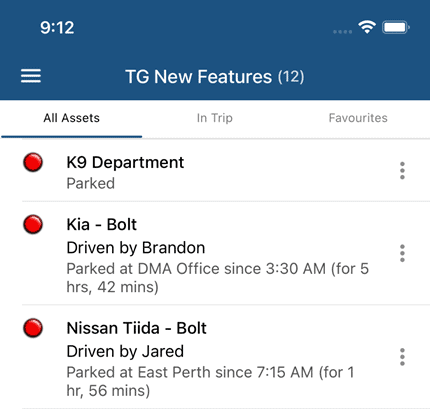
To configure, we need to have the Driver’s phone number entered in the system. So to set up:
1. Create an Address Book Entry, and add the Driver’s Number
– Admin -> Address Book
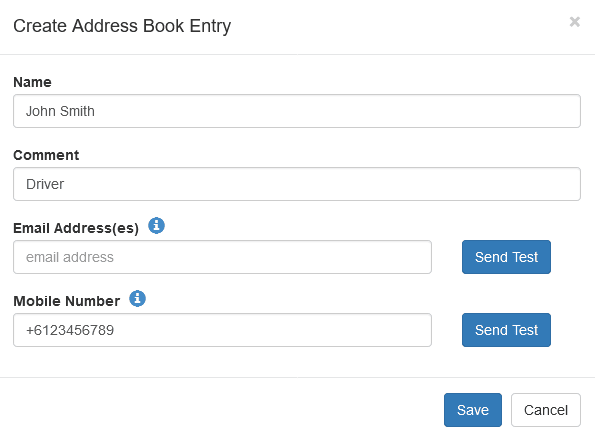
2. Link the Driver to the Address Book entry
User accounts, drivers, and address book entries are all separate entities/concepts that serve different purposes. But we can easily link them together.
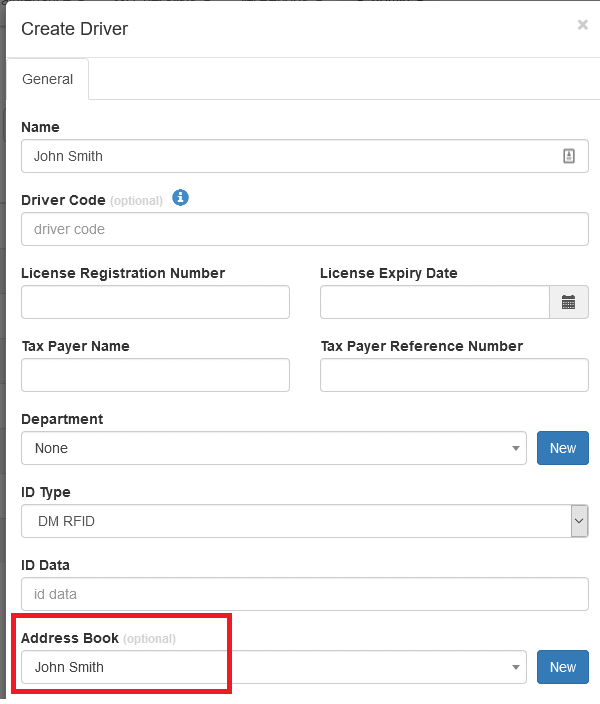
3. We can now call the driver from the app
Get more from TG Tracking
See the platform in action or talk to the team about your fleet, assets and reporting setup.