When you need to monitor speed off established roads, for example; Farmland or Off-Road vehicle routes, you can use Geo-Fences to establish and track speeds in vehicles.
In this Example, we’ll walk through creating a Multi-layer Geo-Fence to track different speed levels in the same area.
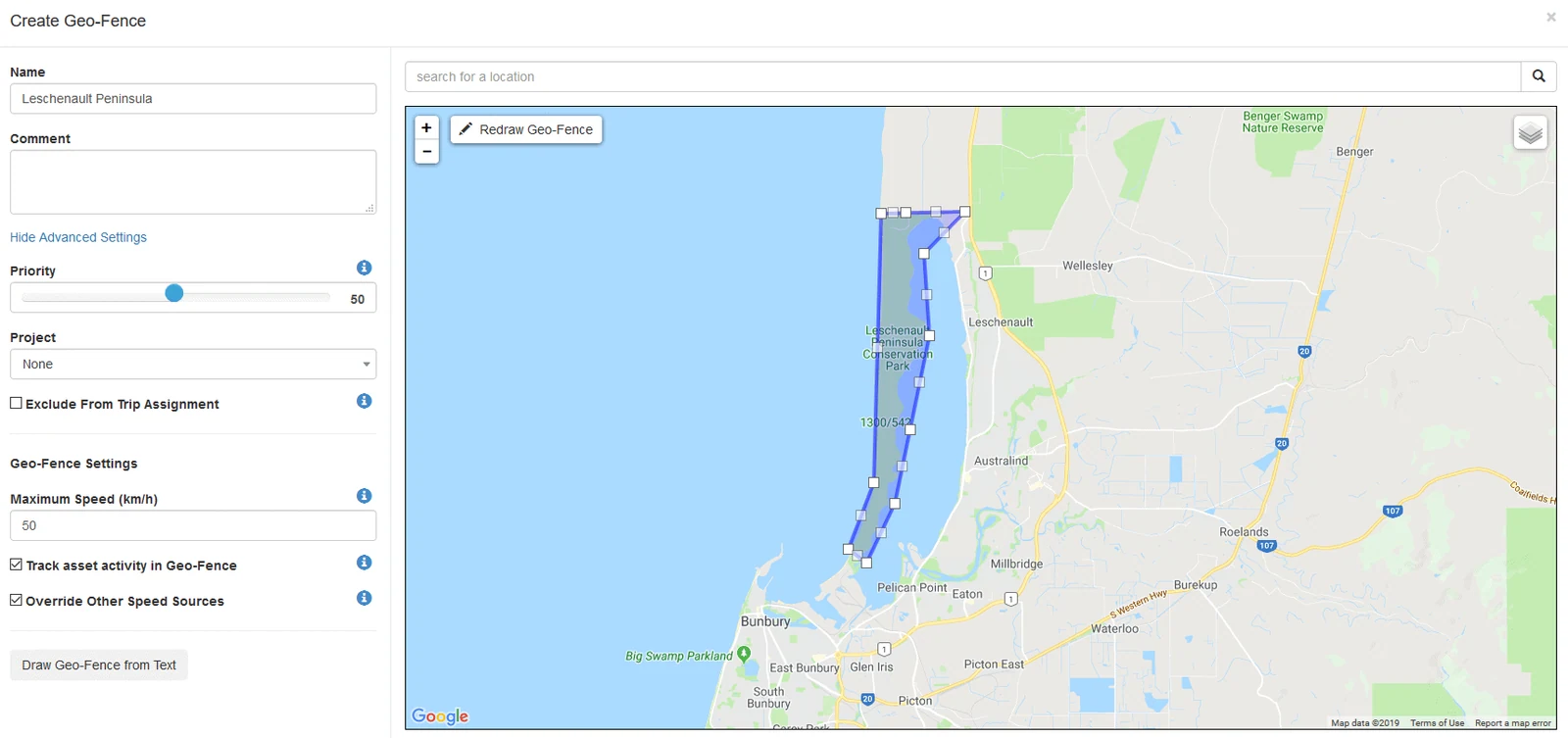
Geo-Fences work in a fashion where if multiple Geo-fences exist in the same place;
- The smallest Geo-Fence by area will take priority, OR
- The Geo-Fence with the Higher Priority Setting will take priority.
Using a Geo-Fences inside another is useful for setting a global speed limit or demarcation zone, and then being able to classify areas within the larger area. For our example, it will be a ‘National Park’ speed limit of 50 km/h then 30km/h on the smaller, back roads inside the park.
Once you create your first Larger Geofence, then create another where you wish the second zone to be. The Smaller Geo-Fence will be the priority by Default, but you can also increase the priority slider on the left to be more than the larger Geo-Fence.
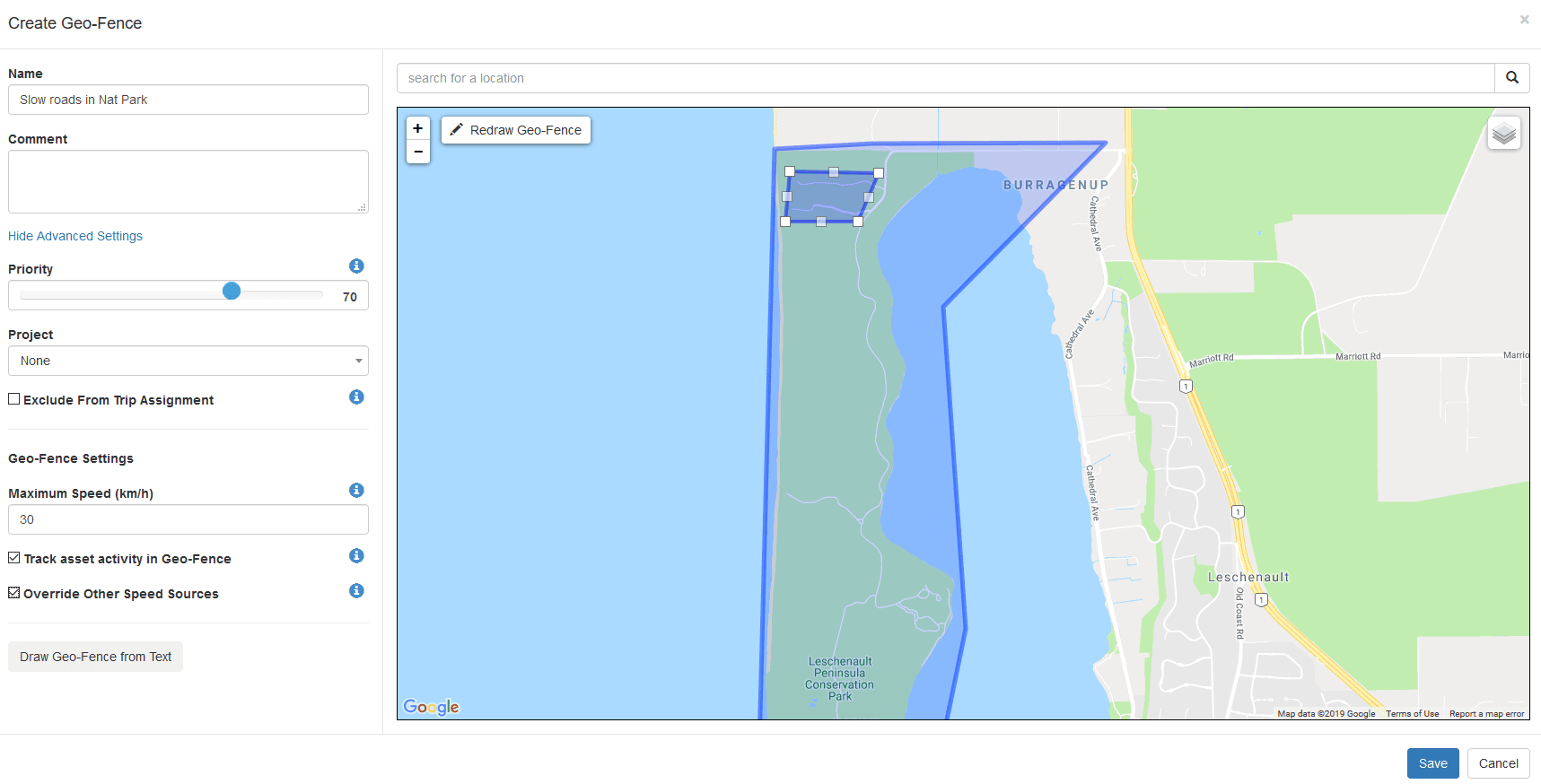
To obtain higher accuracy with Geo-Fence speed monitoring, you can also configure some devices to download geo-fences.
Geo-Fence downloads are available on the following Devices: G62, G100, Dart2, Remora, Remora2, Yabby Cellular (GPS version only), Oyster, Oyster2.
Get more from TG Tracking
See the platform in action or talk to the team about your fleet, assets and reporting setup.